Sarah
Mike
If their hands shake
Big buttons. No tiny screens.
A light tap or a firm press works just as well. No more trying to hit tiny buttons on a touchscreen.
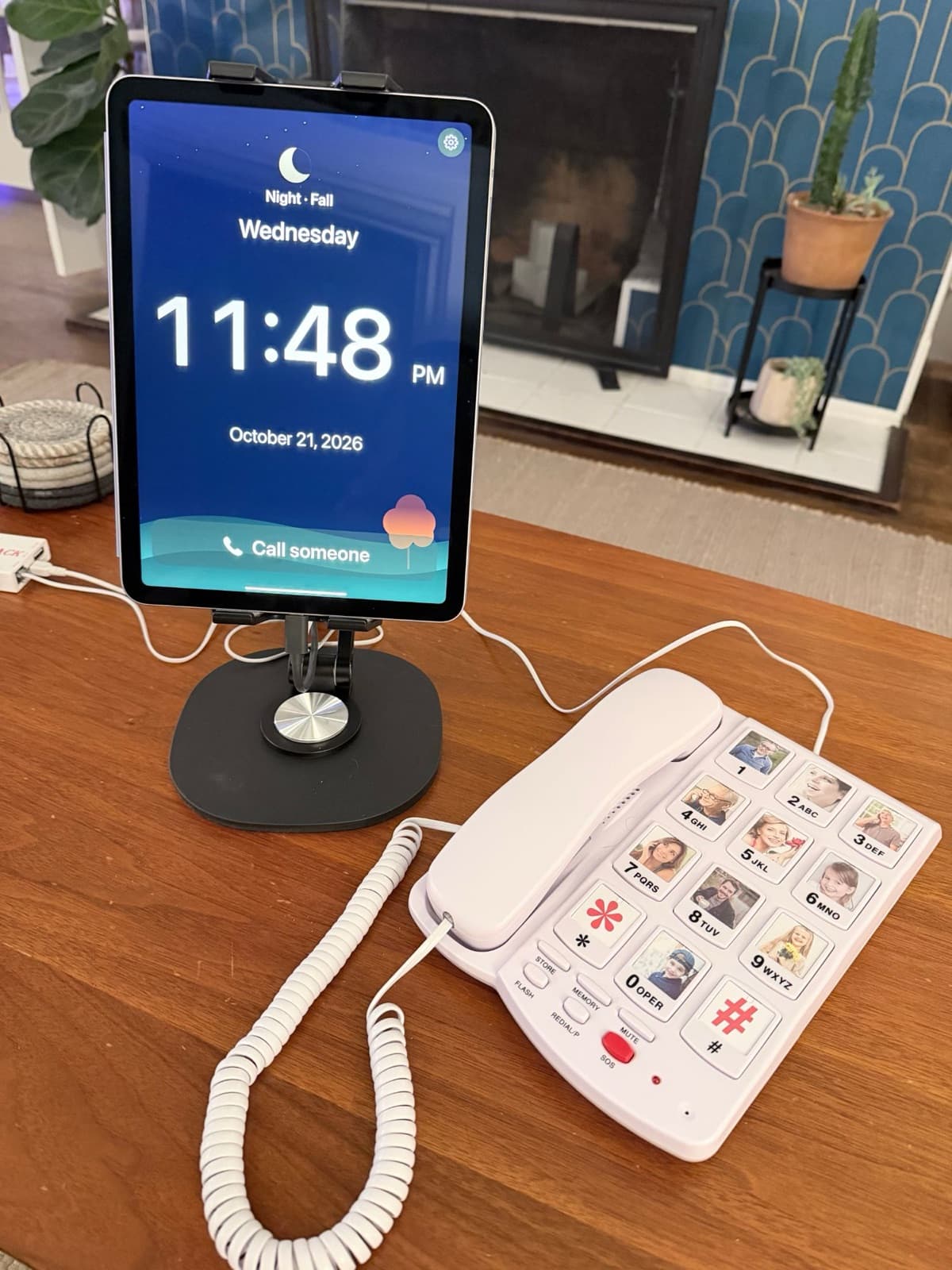
Porch is an app that turns your own iPad or Android tablet into a simple video phone. Connect a big-button phone with photos of loved ones on the buttons, and one press starts a video call.
It’s made for people with Parkinson’s, dementia, unsteady hands, or anyone who finds today’s phones difficult to use.
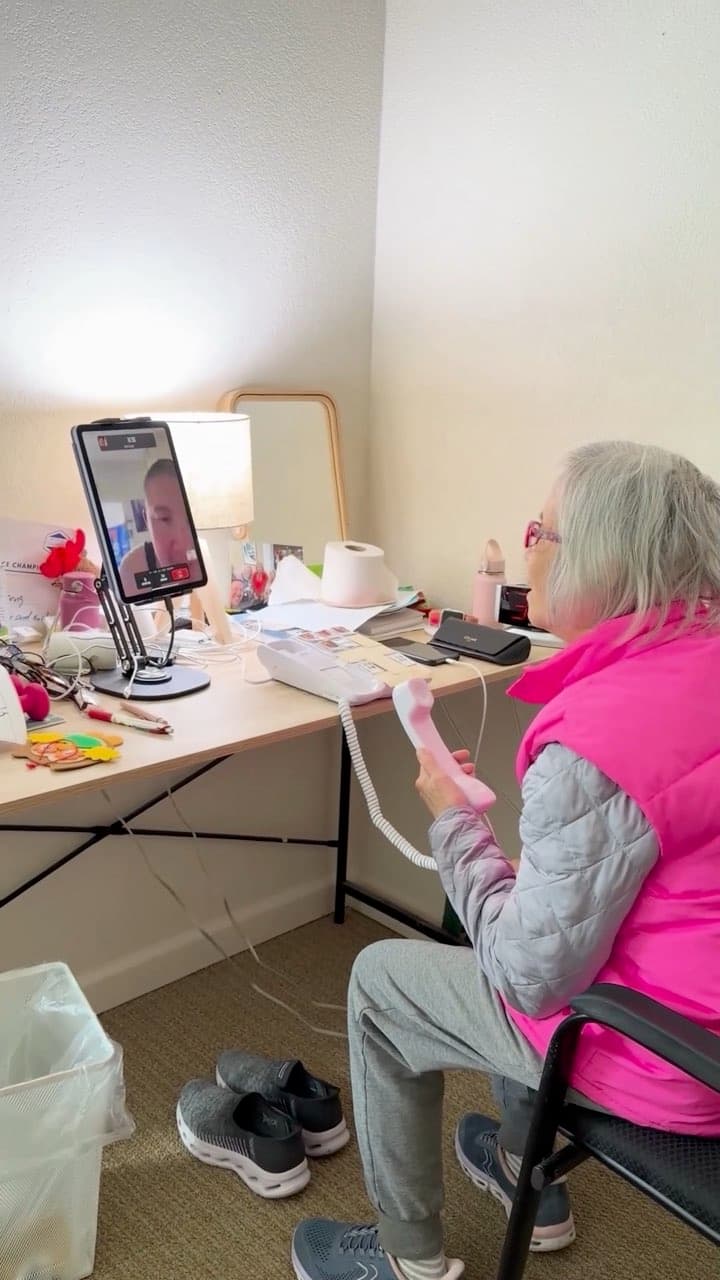
If their hands shake
A light tap or a firm press works just as well. No more trying to hit tiny buttons on a touchscreen.
If they have memory loss
Porch stays plugged in and ready to use. No lost phones, dead batteries, or remembering how to answer. Porch can do that for them.
If English isn’t their first language
Porch supports Mandarin, Cantonese, and Spanish, and can translate and read your text messages aloud in their language. More languages coming soon.
If you worry about scams
You decide who can reach your loved one. Unknown callers are blocked automatically.
Who can call
Call any time and Porch picks up for them, but only for family you’ve approved. It says who’s calling out loud, and counts down before answering. Numbers you haven’t approved are blocked by default so scam calls never reach them.
Send your loved one a video or text message. When they sit down in front of Porch, it plays the video or reads the message aloud. No tapping or navigating required.
Add a friend or family member to the conversation. You can even bring in a bank representative when they need to speak with your loved one directly.
Porch calls you on video first. If you don’t pick up, it automatically tries your regular phone instead.
No special tablet to buy. Porch works with devices your family provides.
Install Porch on a compatible iPad or Android tablet.
Connect a familiar corded phone with photos on the buttons.
Family and friends use Porch on their iPhones or Android phones.

“My mom is 78. She has advanced Parkinson’s and dementia. Her hands have become slow and stiff, she forgets where her phone is, and more often than not it isn’t charged. So people call, but they can’t reach her. That’s why I’m building Porch.”
What we’re building next
Photo buttons for the people they call most, and a red button that calls everyone on their list until someone picks up.
In design
The Porch pilot
The Porch app runs on your own compatible iPad or Android tablet, connected to a big-button phone. We’re inviting families to try it and tell us what works and what doesn’t.
Waiting for the Porch keypad? It’s still a while away. Leave your email and we’ll let you know when it’s ready.