Video calls, at the press of a button.

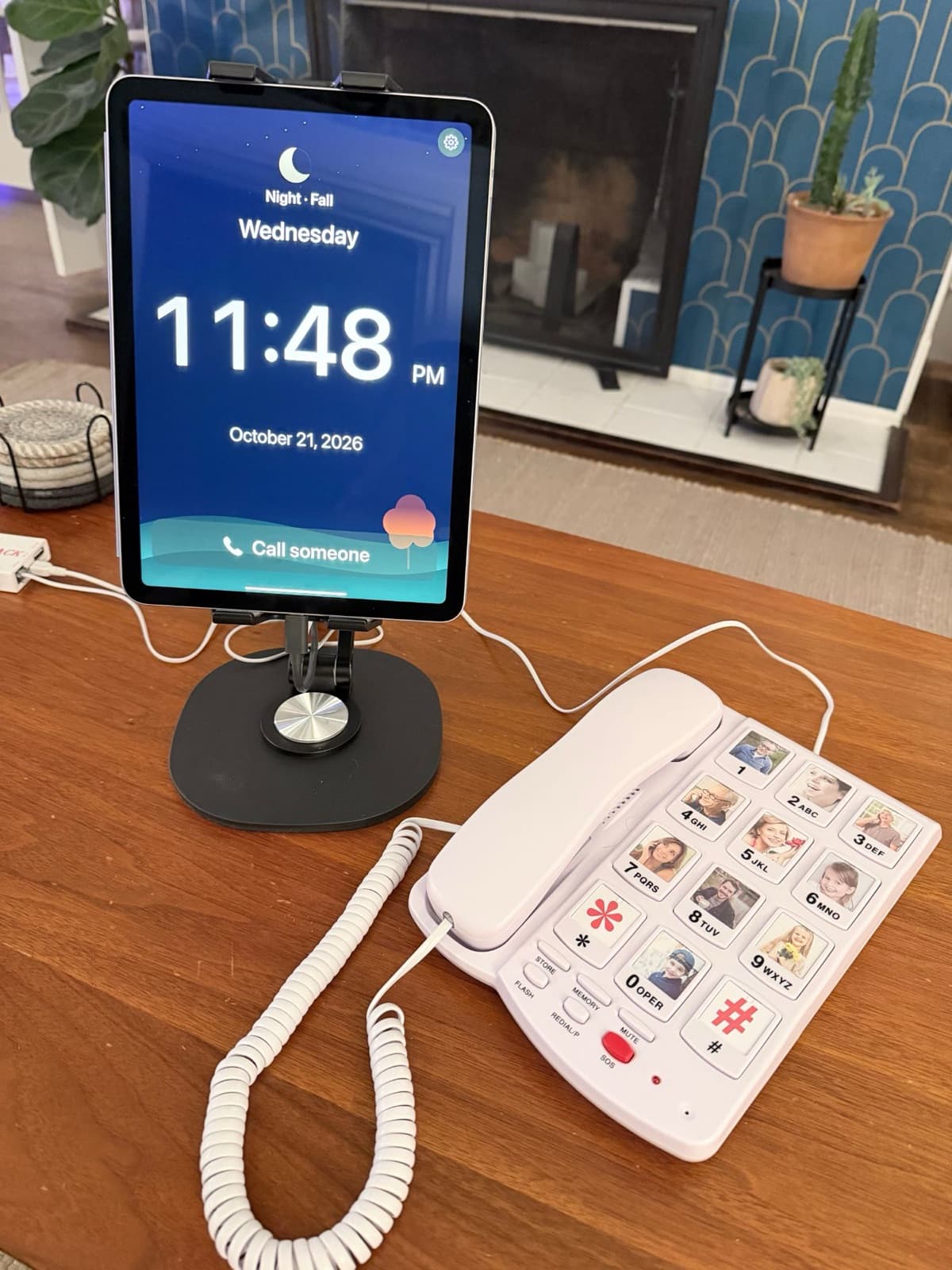
Porch is a video calling app that runs on your own iPad or Android tablet, paired with a big-button phone. Each button has a photo of someone they love. One press starts a video call.

Family and friends use the Porch app on their iPhones or Android phones to call, answer, and send messages.

  • Parkinson’s & limited dexterity
  • Dementia & memory loss
  • Anyone who struggles with phones
Porch on a wooden table: a tablet on a stand showing a large clock and a Call someone button, beside a white corded phone whose big buttons each carry a family photo.
Your tablet, running PorchBig-button phone with family photos

When they call you

One press, and it’s ringing.

Every button has a photo and a name. They press yours, and the Porch app rings on your iPhone or Android phone. If you don’t answer, Porch calls your regular number instead.

  1. Your Porch app ringsA video call comes first
  2. No answer, or no app?
  3. Then your phone ringsPorch dials your number
When you call them

Porch picks up for them.

When someone you’ve approved calls, Porch announces who’s calling, then answers automatically. They don’t have to find a phone, unlock a screen, or press anything.

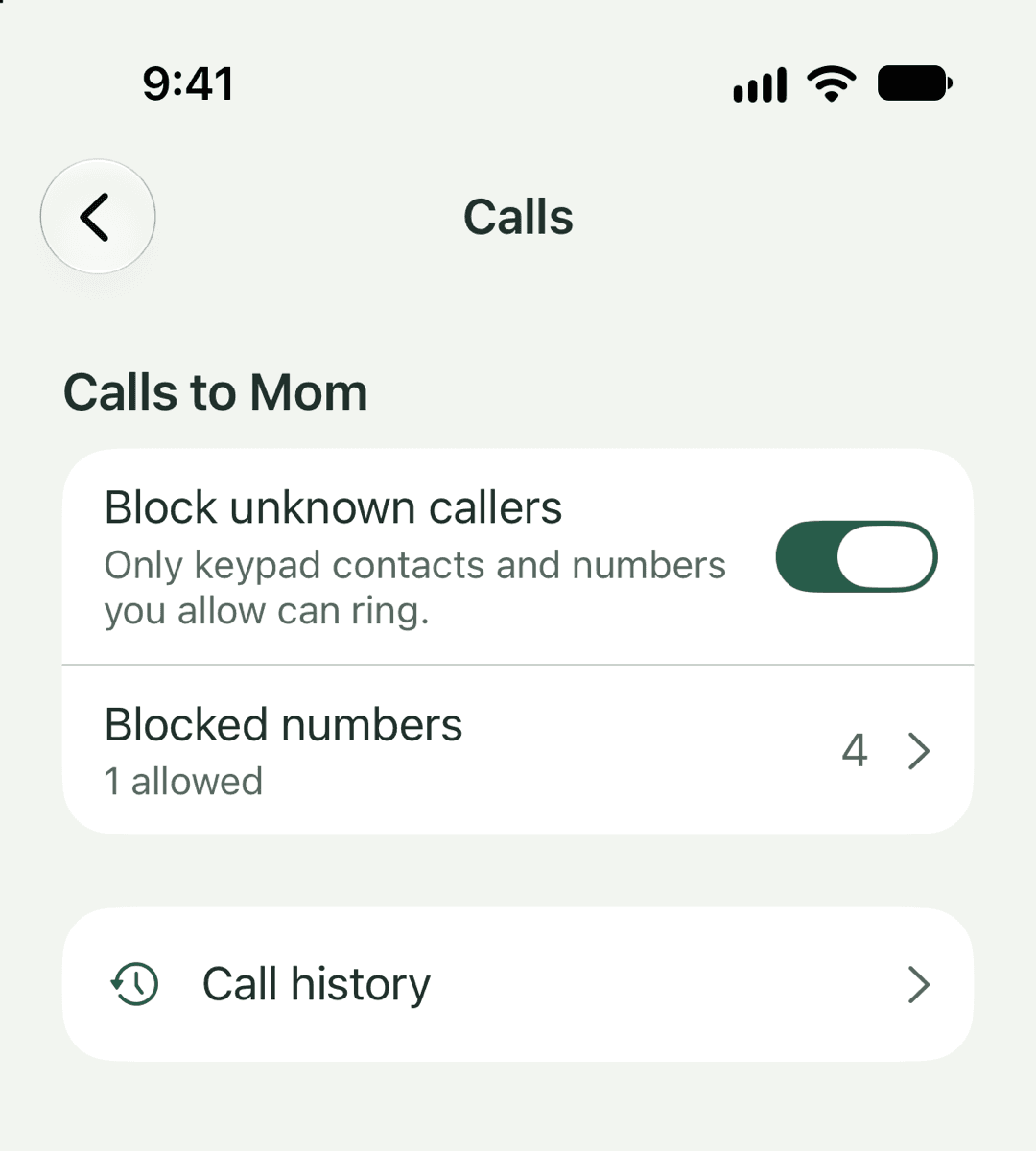
Family can call using the Porch app or from an approved phone number. Everyone else is blocked by default.

“Sarah is dropping in with video. Connecting in five seconds.”

Mom’s Porch number

(415) 555-0142

  • Call in the Porch app
  • Or call or text it from any phone
  • Unknown callers are blocked

For unsteady hands

Buttons they can actually press.

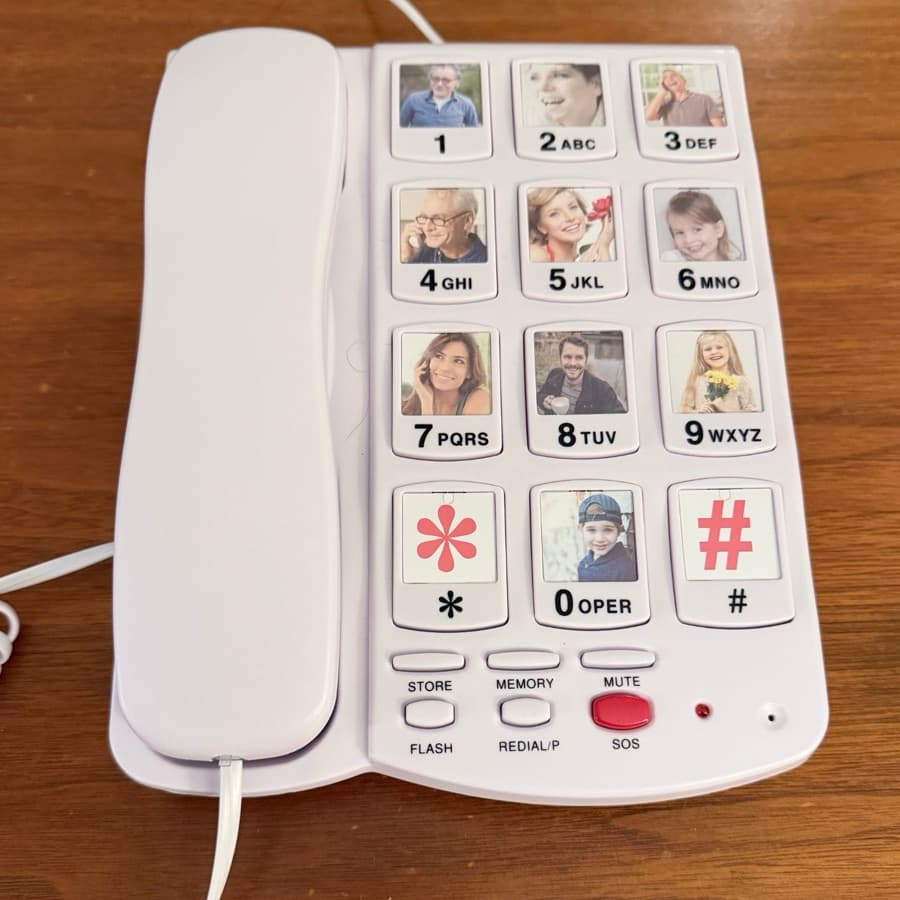
My mom’s Parkinson’s has made her hands slow and stiff. Touchscreens became almost impossible for her to use. Porch uses big, firm buttons with plenty of space between them. A light tap works, and so does a heavy press.

A white corded phone with twelve big buttons, each with a photo on it.
  • Big buttons with room between them
  • A light tap works
  • So does a heavy press

Between calls

Messages that play themselves.

Send a video or voice message through the Porch app, or text their Porch number. When they’re in front of the tablet, Porch plays the messages or reads them aloud. No inboxes to check or buttons to press.

In their language

In the language they grew up with.

Porch shows and speaks English, Mandarin, Cantonese, or Spanish, including its screens and announcements. It can also translate incoming texts into their language before reading them aloud. More languages are coming.

Out loud

“Sarah要和您视频通话,五秒后接通。”

A text from Sarah

“妈,星期天见。爱你!”

Translated from English: “See you Sunday, Mom. Love you!”

All together

Bring someone else into the call.

Add a sibling, grandchild, or old friend to the conversation. You can even bring in someone from the bank when you’re helping your loved one with their finances and the bank needs to speak with them directly.

See it for yourself.

These are real clips from the Porch prototype, including my mom’s first call and some of the key features we’ve built since.

22 sec

Mom’s first real call

My mom makes her first call using Porch, right from her own desk. She presses my brother’s photo, he answers, and they’re talking face to face a few seconds later.

15 sec

One button starts a video call

They press your photo, your Porch app rings, and you answer. No looking up contacts, dialing numbers, or navigating menus.

24 sec

If you miss the video call

Porch tries your regular phone number next, so you can still talk even if you don’t answer in the app. They only have to press once.

15 sec

Porch answers for them

Call your loved one through Porch, and it announces who’s calling before answering automatically. They don’t have to do a thing.

26 sec

Leave them a message

Send a quick video or voice message from the Porch app. It could be an appointment reminder, a family update, or just a quick hello.

16 sec

Messages play automatically

When they’re in front of the tablet, Porch plays their waiting messages. No notifications to notice, inboxes to check, or buttons to press.

22 sec

Bring someone else into the call

Add another family member, an old friend, or even someone from the bank when they need to speak with your loved one directly. Everyone can be on the same call.

The Porch pilot

Help us test Porch.

The Porch app runs on your own compatible iPad or Android tablet, connected to a big-button phone. We’re inviting families to try it and tell us what works and what doesn’t.

Join the pilot Family members use the Porch app on iPhone or Android.
The Porch prototype on a wooden table: a tablet on a stand showing a large clock, beside a corded phone with family photos on its buttons.

Waiting for the Porch keypad? It’s still a while away. Leave your email and we’ll let you know when it’s ready.